Why I Built This
Working with large codebases and AI models is often more frustrating than it should be. Every time I wanted an LLM to analyze a project, I found myself manually copying files, removing unnecessary content, splitting huge repositories into manageable chunks, and trying to preserve enough context so the model could actually understand the code.
Most existing solutions focused on either repository visualization or simple file exports. They rarely handled the full workflow of collecting source files, processing documents, organizing structure, and preparing everything for AI consumption in a clean and predictable way.
After repeating the same tedious process across multiple projects, I realized the tooling itself was the bottleneck. I wanted something that could pull code directly from GitHub, process local documents, intelligently split content, and package everything into a format optimized for AI analysis. So I decided to build it myself.
What TreeBundle Does
TreeBundle is a browser-based tool that gathers source code and documents from multiple sources, organizes them into a structured project bundle, and prepares them for AI analysis. Instead of manually stitching together repositories and files, I can ingest an entire project, preserve its structure, split large content intelligently, and export everything as a clean package ready for code reviews, documentation generation, architecture analysis, or LLM workflows. The entire process happens directly in the browser, keeping the experience fast, private, and easy to use.
How It Works
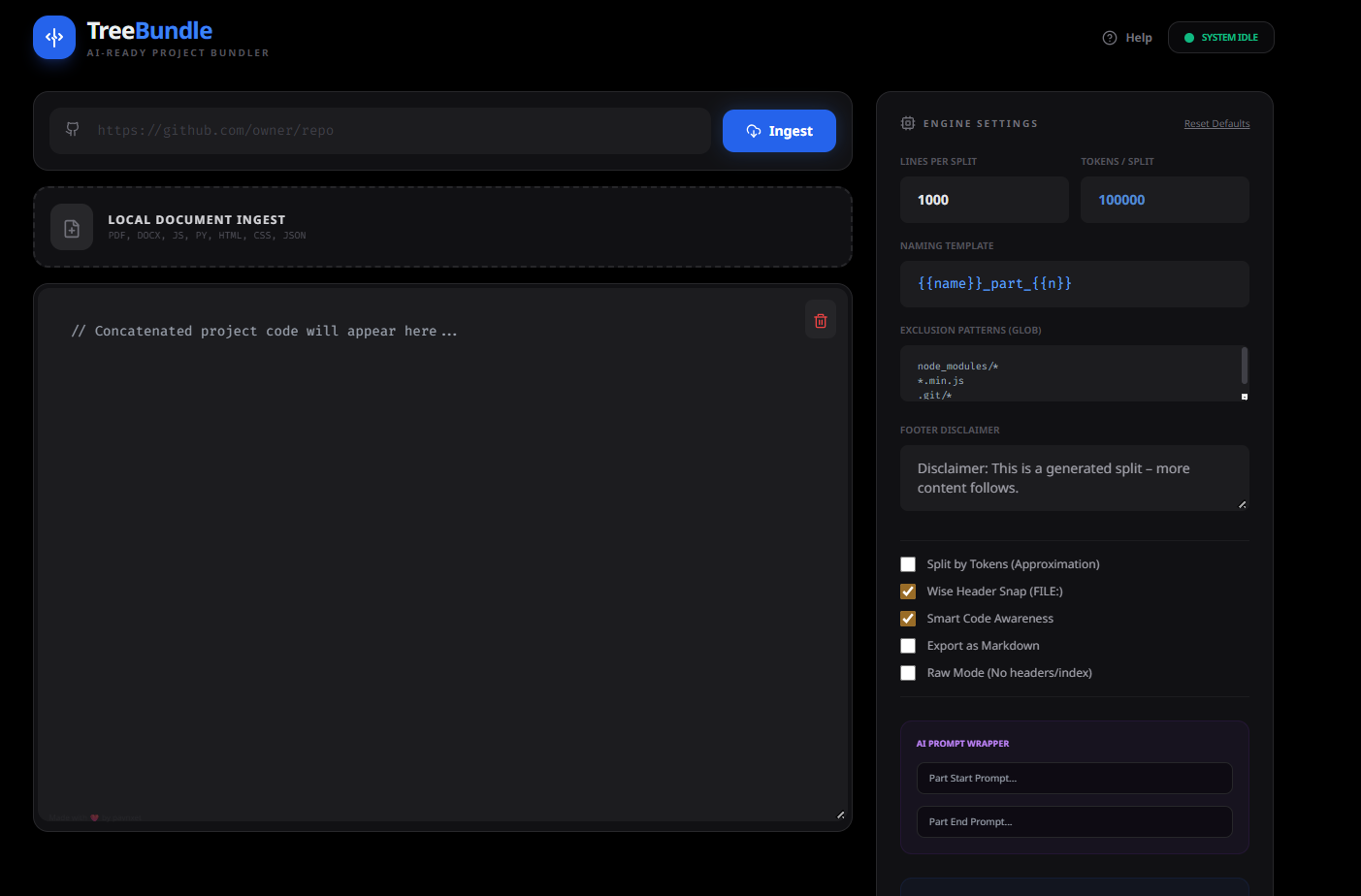
At its core, TreeBundle collects files from GitHub repositories or local uploads and converts them into a unified project representation. The system analyzes file boundaries, preserves structure, and applies intelligent splitting rules so large projects can be divided into manageable chunks without breaking logical sections of code. This helps maintain context when the output is consumed by AI models.
I chose Cloudflare Workers because they provide a lightweight deployment model with excellent performance. Vanilla JavaScript keeps the application simple and dependency-light, while Tailwind CSS helps create a polished interface without adding unnecessary complexity. Libraries like PDF.js, Mammoth, and JSZip handle document extraction and bundling so the tool can support both code repositories and common document formats in a single workflow.
The Ways to Use It
GitHub Repository Ingestion
I can paste a public repository URL or use the familiar owner/repository format to pull project files directly into the workspace. For private repositories, I can optionally use a personal access token while keeping credentials stored locally.
Local Document Processing
Beyond repositories, TreeBundle accepts PDFs, DOCX files, and source code files. Uploaded content is automatically parsed and added to the project bundle, making it easy to combine documentation and code in one workspace.
Smart Bundling Engine
Once content is loaded, I can configure splitting behavior and generate AI-ready bundles. The resulting package contains organized output files and a project manifest that makes navigation much easier.
Progressive Web App Experience
Because TreeBundle works as a Progressive Web App, I can install it on desktop or mobile and use it like a native application while keeping everything browser-based.
Challenges I Faced
One of the hardest problems was splitting large projects without destroying context. A simple line-based split would frequently separate related functions, classes, or modules into different files. To solve this, I implemented logic that respects file headers and attempts to identify safer break points around code boundaries, blank lines, and structural markers.
"Splitting code arbitrarily destroys contextual relationships. TreeBundle preserves functions, modules, and classes intact by detecting structural boundaries and code markers."
Another challenge was supporting multiple document formats in a unified workflow. Code files are straightforward, but PDFs and DOCX documents require completely different extraction pipelines. I integrated PDF.js for PDF parsing and Mammoth for DOCX processing, then normalized the extracted content into a consistent format before bundling.
Privacy was also a core design requirement. Many developers are uncomfortable uploading repositories or access tokens to third-party services. I addressed this by keeping processing entirely client-side, storing settings locally, and avoiding any backend database. As a result, the application can handle sensitive projects while maintaining a zero-trust approach.
Try It Yourself
The project is fully live and open for you to try or self-host. Get started with the links below:
- Launch TreeBundle: Open the Live Demo
- Source Code: View the GitHub Repository
- Documentation: Check the repository README for setup details and additional information.
What's Next
I want to expand TreeBundle with deeper repository analysis, smarter AI-oriented chunking strategies, and additional export formats tailored for different LLM workflows. I'm also exploring richer project visualization features and improved support for very large repositories. If you have ideas or would like to help shape the future of the project, contributions are always welcome through GitHub.